Direct answer
A YIG-tuned filter moves its passband or notch by changing the magnetic field around coupled YIG resonators. Consider it when a receiver needs continuous preselection across a broad band and the complete filter-and-LO assembly meets the timing budget. Select stage count and coupling from the full response: bandwidth, rejection, ripple and insertion loss belong together. Declare the receiver ready only when both paths meet their stated tolerances and tracking alignment is acceptable.
Key takeaways
- Compare bandwidth, skirts, ripple and insertion loss for the complete design, not sphere count alone.
- Budget actual LO and filter command times; parallel settling is not an automatic sum.
- Bandpass and band-reject filters use different coupling geometries.
- Specify bandwidth at the RF frequencies you will use; constant absolute bandwidth is approximate.
- Fixed channels may be served by fixed filters or a switched bank if they meet the same rejection requirement.
A mistimed preselector can invalidate a receiver reading. Match the filter’s response and settled state to the wanted RF, LO timing and blocker positions before accepting data. This component guide covers magnetically tuned preselection; the YIG material guide explains the resonator.
Key specifications
| Parameter | What it means | What it constrains |
|---|---|---|
| Tuning range | Span over which the magnet can place the band | Whether one filter covers the receiver, or you need several |
| Bandwidth | Passband width at 3 dB relative to minimum loss, or notch width at a specified rejection level | Channel width versus interferer rejection at the stated RF frequency |
| Stage count and coupling | Resonators and coupling geometry in the complete design | Check bandwidth, skirt rejection, ripple and loss together |
| Insertion loss | Passband loss at the tuned centre | System noise figure, if the filter sits before the LNA — or after it, the recovery you still need |
| Off-resonance isolation | Rejection away from the tuned band | Image rejection and blocking |
| Limiting level | Input level at a defined compression criterion | Nonlinear response under large signals; check damage rating separately |
| Settling time | Time to sit inside a frequency tolerance after a step | Ready time from actual command times, both tolerances and passband alignment |
| Passband VSWR / ripple | Match and flatness across the 3 dB width | Whether the LNA or mixer sees a stable load as you tune |
Meanings are general to the device class. For values, work from the specific part’s datasheet — stage count, band and grade move every number.
Where it sits in the chain
In a receiver the filter is usually a tracking preselector: it sits after the antenna (and often after a limiter and LNA) and before the mixer, and it moves with the local oscillator. Its job is to pass the wanted RF and reject everything that would mix to the same IF — first of all the image, 2 × IF away. After the mixer it is too late; the image and the wanted signal are the same frequency.
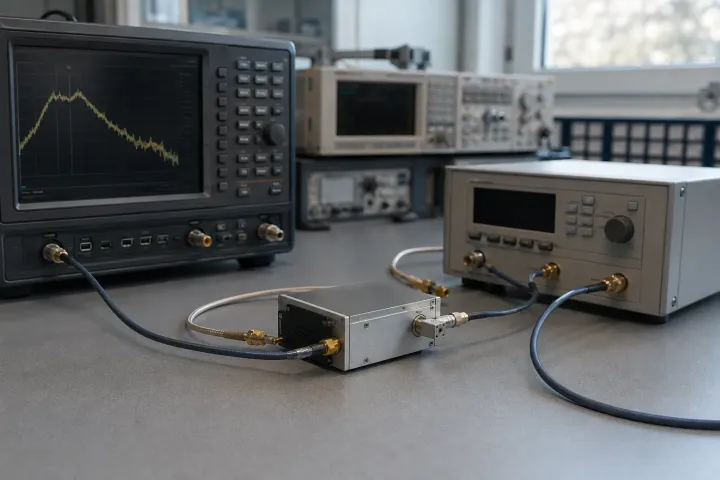
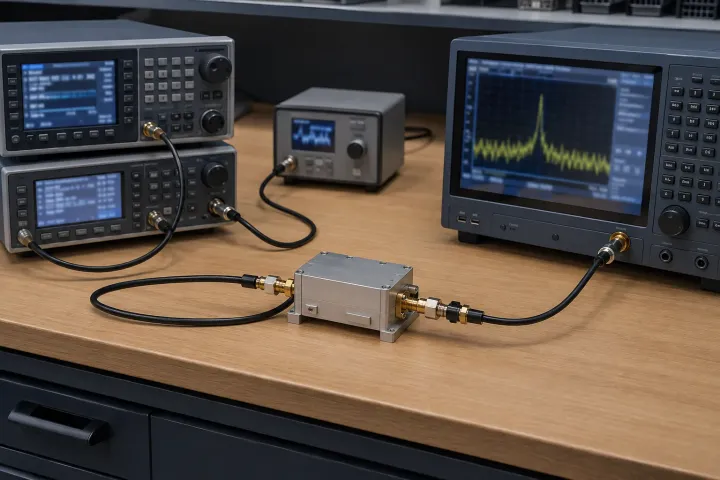
In test equipment the same part is a tunable bandpass or band-reject in front of a detector or a spectrum analyser. The specification language does not change. The time budget does: record when the LO and filter are commanded and when each reaches its tolerance. Parallel commands overlap settling; serial commands include the delay before the second command.
How it works
The resonator is the same ferrimagnetic sphere used in a YIG oscillator. The difference is the coupling.
In a bandpass filter the input and output loops are set at 90° so that energy cannot cross except through the resonating spheres. Closer loop-to-sphere spacing widens the 3 dB bandwidth and raises insertion loss. Additional resonators and adjusted coupling can widen bandwidth and shape rejection; evaluate loss and skirts from the complete response, as described in the manufacturer’s YTF note, pages 1–3.
In a band-reject filter a single loop per sphere lies along the transmission path. Off resonance the loop is just line; on resonance it couples to the sphere and reflects. Rejection width depends on resonator count and adjusted coupling; check the complete response. Micro Lambda’s YTF note, page 2, describes 15 to 70 MHz at 40 dB rejection for its standard band-reject filters; check the selected model.
Both types follow coil current, not voltage. The driver is half the specification, for the same reason it is on a YTO.
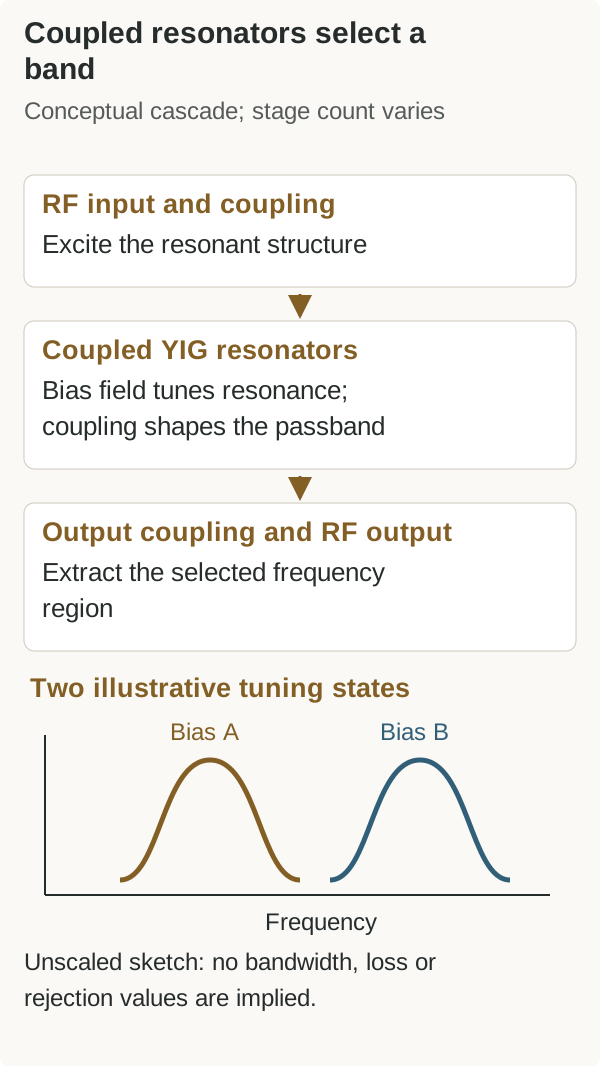
For the figures we can attribute, the manufacturer’s published description gives standard bandpass 3 dB bandwidths of 15 to 40 MHz at 2 GHz and 20 to 50 MHz at 18 GHz, and standard band-reject parts with a 40 dB rejection bandwidth of 15 to 70 MHz.
The readable YTF technology note was reviewed on October 8, 2026. Pages 1–3 describe coupling, bandwidth and selectivity; page 4 defines tuning response against a specified frequency tolerance and sweep. These definitions support a response-based comparison, not guaranteed loss or rejection from stage count alone.
Bandwidth is not quite constant
Micro Lambda’s YTF note, page 2, describes approximately constant absolute bandwidth with an expansion of about 20% per octave. Its example is 30 MHz at 2 GHz becoming 50 MHz at 18 GHz; this is a manufacturer example, not a guarantee for every filter. Specify the width at the frequencies you will use, not only at the bottom of the band.
The manufacturer’s note gives 0 to +10 dBm as a limiting example, not a universal range. Its page 2 definition uses 1 dB compression of the transfer characteristic. Confirm the model’s limiting level and separate damage rating.
Against the alternatives
| Criterion | YIG-tuned filter | Cavity filter | Switched filter bank |
|---|---|---|---|
| Tuning | Electrical, octave or more | Mechanical, or none | Discrete bands only |
| Bandwidth vs frequency | Roughly constant absolute width | Percentage of a fixed centre | Whatever each cavity was cut for |
| Insertion loss | Read the complete coupled response | Check loss at the required bandwidth | Include each filter and switch path |
| Selectivity | Stage count and coupling shape rejection | Response depends on design and bandwidth | Verify rejection in every selected band |
| Settling | Measure step and tolerance with the driver | No tuning for a fixed filter; include switching if used | Switch and downstream recovery time |
| Power handling | Limited by sphere saturation | High; radar and SATCOM use it | High per path |
| Size and power | Magnet dominates; coil current continuous | Machined metal; no coil | Several cavities plus switches |
| Typical use | Tracking preselector, analyser | Fixed channel, high power | A short list of bands |
The pattern matches the oscillator comparison: YIG buys a moving, constant-width band and pays in loss, speed and size. When the band does not move, a cavity is the better filter. When you need both low loss and several discrete bands, a switched bank is the honest alternative — not a “faster YIG”.
Application matrix
| Application | What dominates the choice | Where a YIG filter struggles |
|---|---|---|
| Spectrum / signal analyser preselector | Multi-octave tune at a constant absolute width | Sweep rate; insertion loss ahead of the converter |
| EW / SIGINT receiver | Tracking the LO across the threat band | Hop speed; limiting on large signals |
| Spectrum monitoring front end | Coverage plus a tracking pair with the LO | Combined settling of filter and oscillator |
| Radar front end | Image and blocker rejection that can move | Pulse-to-pulse agility; power handling |
| ATE / bench filtering | A single tunable bandpass or notch | Cost and coil power versus a drawer of cavities |
| SATCOM channel filter | Almost never YIG | Loss, size and a band that does not move |
Qualitative. Every row is a judgement about which parameter binds first, not a vendor recommendation.
A monitoring or EW front end may pair the filter with a YIG-tuned oscillator. Measure their ready times and tracking error together using the budget below.
Selection criteria
Buying and lifecycle
- Specify the response at required offsets and bandwidth. Extra sphere count alone is not an acceptance criterion.
- Ask at which frequency the 3 dB width was measured. The ~20% per octave creep makes a single number incomplete.
- Ask what driver the accuracy figure was taken with. Current noise on the coil is frequency modulation of the passband.
- Check limiting against the largest signal the antenna can present, including after the LNA if the filter sits there.
- Plan calibration with the LO. A tracking pair that is calibrated apart will not track in the box.
Obsolescence on a low-volume magnetic part is the same problem as on a YTO; the general discipline is in sourcing and quality.
Testing and integration notes
- Measure isolation at the image frequency of the actual IF plan, not only at a convenient offset on the bench.
- Verify settling with the same step size the LO will take. A full-band figure does not describe every small correction.
- Sweep insertion loss and VSWR across the tune; a filter that is pretty at centre and ugly at the band edge is a common surprise.
- Confirm the limiting level with the real source, using a defined input level and compression criterion.
- Check magnetic clearance before the enclosure is fixed. The control variable is a field.
Why spectrum analyzers use a YIG preselector
Keysight’s Spectrum Analysis Basics, chapter on preselection describes a tracking YIG-tuned filter ahead of the microwave input mixer. Selecting the wanted RF region before mixing suppresses image and other unwanted conversion responses that an IF filter cannot distinguish afterward. That filtering is not the analyzer’s resolution bandwidth: the preselector protects the conversion process, while later filtering determines which nearby IF components are resolved.
For a receiver using the same idea, check three things: the wanted signal stays within the tracked passband, the filter has settled before measurement, and its loss is included in the receiver sensitivity budget. Keysight also discusses preselector centering and post-tuning drift; a peak response obtained before centering is not automatically a valid amplitude comparison. Material background belongs in what YIG is, and the wider technology trade-off in YIG versus cavity filters.
Set a tracking budget, not two independent specifications
The common YIG-filter application is a receiver whose LO and preselector move together. It is tempting to specify oscillator tuning accuracy on one sheet and filter tuning accuracy on another, then expect the pair to work after installation. The meaningful quantity is their relative error. The filter has to remain centred on the wanted RF while its reject band stays useful at the image or blocker location. Two individually accurate current tables can still drift apart after temperature, cable resistance or a different approach direction are introduced.
Begin by deciding what the filter must pass. Include the wanted signal bandwidth, modulation shoulders, frequency error, calibration error and any required margin. Then state the rejection required at the calculated image and known blocker offsets. This creates an allowed tracking error across the band. A wide passband is more forgiving of tracking but sacrifices rejection; a narrow passband protects the mixer but makes error and settling visible. The right budget comes from the receiver plan, not from a favourite stage count.
Use this fill-in timing record with the actual driver, temperature and tuning direction. The ready rule below is an editorial budgeting method based on the manufacturer’s frequency-tolerance definition and Keysight’s preselection checks, not a measured device specification.
| Budget item | Requirement / allowed error | Command and evidence to record | Acceptance / ready criterion |
|---|---|---|---|
| LO path | Frequency step: ; allowed frequency error: ± | Command time t_LO: ___; measured time into and staying within tolerance: s_LO ___; lock/reference state: ___ | Meets frequency and required lock/noise limits |
| Filter path | RF center: ; allowed center error: ± | Command time t_filter: ___; measured settling interval s_filter: ___; driver/temperature/direction: ___ | Wanted RF remains in the permitted passband |
| Tracking | Wanted bandwidth/margin: ; allowed relative error: ± | Measured center-to-wanted-RF error: ___; image/blocker offsets: ___ | Passband alignment and rejection both meet the receiver plan |
| Receiver ready | Latest acceptable ready time: ___ | Earliest candidate = max(t_LO + s_LO, t_filter + s_filter); include other recovery: ___ | Both paths remain in tolerance and alignment passes before accepting data |
For parallel commands at the same start time, the longer measured settling interval controls the earliest candidate. For serial commands, enter the actual later command time; add delays only when the sequence imposes them. A lock indication alone does not prove filter alignment. Test representative steps and reversals as discussed in how YIG oscillators work.
Noise and loss remain separate constraints. A quiet LO does not compensate for a preselector that lets a strong blocker reach the mixer, while a narrow filter does not improve a noisy LO at an in-band offset. Conversely, every dB of filter loss ahead of the first gain stage costs sensitivity. Test the complete chain at the intended RF points with desired and blocker signals, then compare the result with the phase-noise requirement rather than assigning all degradation to one part.
For maintainable systems, store the filter calibration, driver revision, temperature reference and acceptance sweep with the serial number. A replacement filter may match the catalogue range yet require its own table; traceable test evidence is what turns an interchangeable-looking component into a reliable tracking pair.
Related guides
- What is YIG — the material and why a sphere tunes at all
- YIG filter vs cavity filter — the decision this pillar assumes
- RF, IF and LO explained — why the image is 2 × IF away
- YIG oscillators — the usual tracking partner
- Understanding phase noise — reciprocal mixing is why the preselector exists
- Radar RF components — how the same parts are constrained in a radar
Frequently asked questions
Why does a YIG preselector beat a fixed filter bank?
A bank gives you the bands you built. A YIG filter gives you any centre in the tuning range at a roughly constant absolute width. That is the difference between covering a band and covering a list of channels.
How many stages do I need?
Choose the complete response that meets rejection at the required offsets while staying within bandwidth, ripple and loss limits. Stage count and coupling are design variables; more spheres alone do not determine passband width or insertion loss.
Can I put a large signal through one?
Check the particular filter’s limiting and damage ratings separately. Micro Lambda’s YTF technology note, page 2, gives 0 to +10 dBm as an example of coupling limits and defines limiting level by 1 dB compression; it is not a class-wide rating.
Do I need the matching driver?
The filter follows coil current, so someone has to own current accuracy, noise and thermal correction. Buying the filter bare means that someone is you, and the datasheet centre-frequency accuracy no longer describes the assembly.
Sources
- YIG Tuned Filters — coupling (p. 1), bandwidth and limiting (p. 2), selectivity (p. 3), tuning response (p. 4) — Micro Lambda Wireless Accessed October 8, 2026.
- Spectrum Analysis Basics — Preselection (p. 108) and preselector centering (p. 115) — Keysight Technologies Accessed October 8, 2026.